

Today where going to talk about User Interface Design and talking about one or 2 of the highly most commonly found things found in virtually all user interface design. It applies to your Smartphone, Tablet, & PC. Its so universal once you read about today what it means and how common it is.
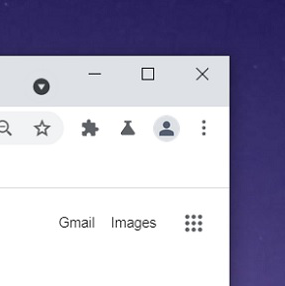
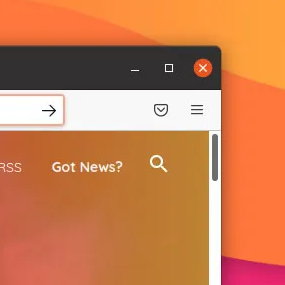
The 2 examples above are from 2 very common browsers Google Chrome & Firefox. As you can make note of in the top right of the window is the 3 dots or the 3 Lines.
The 3 Lines has a coined name for them called the Hamburger menu. The like idea behind what its called is the “Overflow Menu”. When grouped tightly together as a single icon button, the three dots indicate an overflow menu containing secondary actions. They keep the primary interface clean by hiding less frequent or destructive tasks. UI designers generally use two configurations.
Vertical Dots (“Kebab” icon): Heavily popularized by Google Material Design. Clicking this usually opens a small dropdown menu nested inline with the element.
The coined term for the 3 Dots are “meatballs”. Its core purpose is to save precious screen real estate on mobile devices. By hiding a sprawling navigation bar behind a single icon, designers keep the user interface clean and focused on the main content.
Summary
3 Horizontal Dots “Meatballs” – ⋮
3 Vertical Dots “Kebab” – ⋯
3 Horizontal Lines “Hamburger” – ☰
Now you should be a better in equipped with more knowledge about UI Design.