

Ever since Windows 7 Shut Down meant shutdown. Period simple. Then Windows 8 came out it all still basically worked the same. Windows 8.1 was released then once the new dawn of Windows 10 basically everyone forgot after awhile Windows 8/ 8.1 has been a thing. The history books says that Fast Startup was introduced in Windows 8 and carried over as a default feature in the initial release of Windows 10 in July 2015.
What does it do?
Fast Startup is a feature of Windows 10/ 11 so if you tell Windows to Shutdown. It doesn’t fully turn off actually. What happens is that the system goes into a low power hibernation phase still staying on so that when you go to use it next that it will turn on ever so slightly faster.
The Reason Microsoft did this?
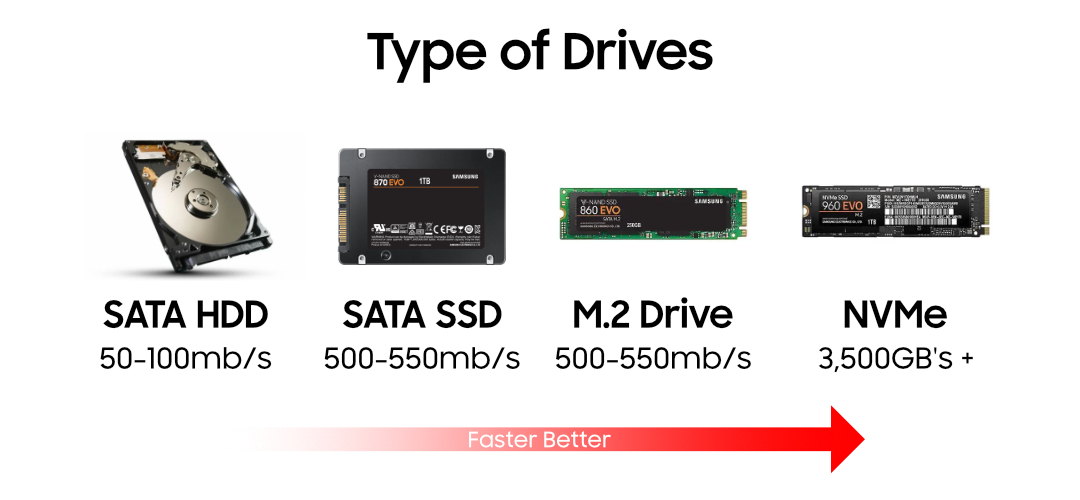
There was a time back in 2014 – 2016 Solid State Drives weren’t main stream still. Everyone was still on Hard Disk Drive’s every computer could run on needing 4GB of ram and it function well enough. Hard Disk Drives are slow especially on startup so that’s where okay lets cache the buffer that’s needed to load up in such away its packed into being in a hibernation state and then when you need to start it up again it will be ready to go again.
Is this Fast Startup Technology still needed today?
If your on Windows 11 you really don’t need it 97.9% of all computers are using SSD’s as there main running operating system drive where windows lives. Hard Disk Drives have taken a back seat in operating as a being used as cold storage for files you don’t use as often.
Does it cause any harm in using it?
“Fast Startup” is completely safe to use, the only trick to keeping your system running smoothy without Windows Glitching to badly or not having your operating system work effectively when you need it to is just by running the restart option at least a minimum of once per week. That’s whats truly needed for Windows to work effectively.
In our experience repairing Windows 10 and 11 systems, Fast Startup causes far more troubleshooting headaches than it saves in boot time, especially on modern NVMe systems that already boot in 10–20 seconds. Simply leave it disabled because it eliminates a whole class of intermittent boot and windows glitches in operation problems.
There have been glitches to the tune of people not being able to shutdown, or use there Wifi, or use bluetooth, or open the start menu or use windows search, caused by the system being on and running for a very long period of time like well past 7 days or even 100 days in some causes. This is why restarting Windows 10/ 11 can help. There is a direct distinction between is it a Software problem or Hardware problem.
NVMe drives are very fast in 2026
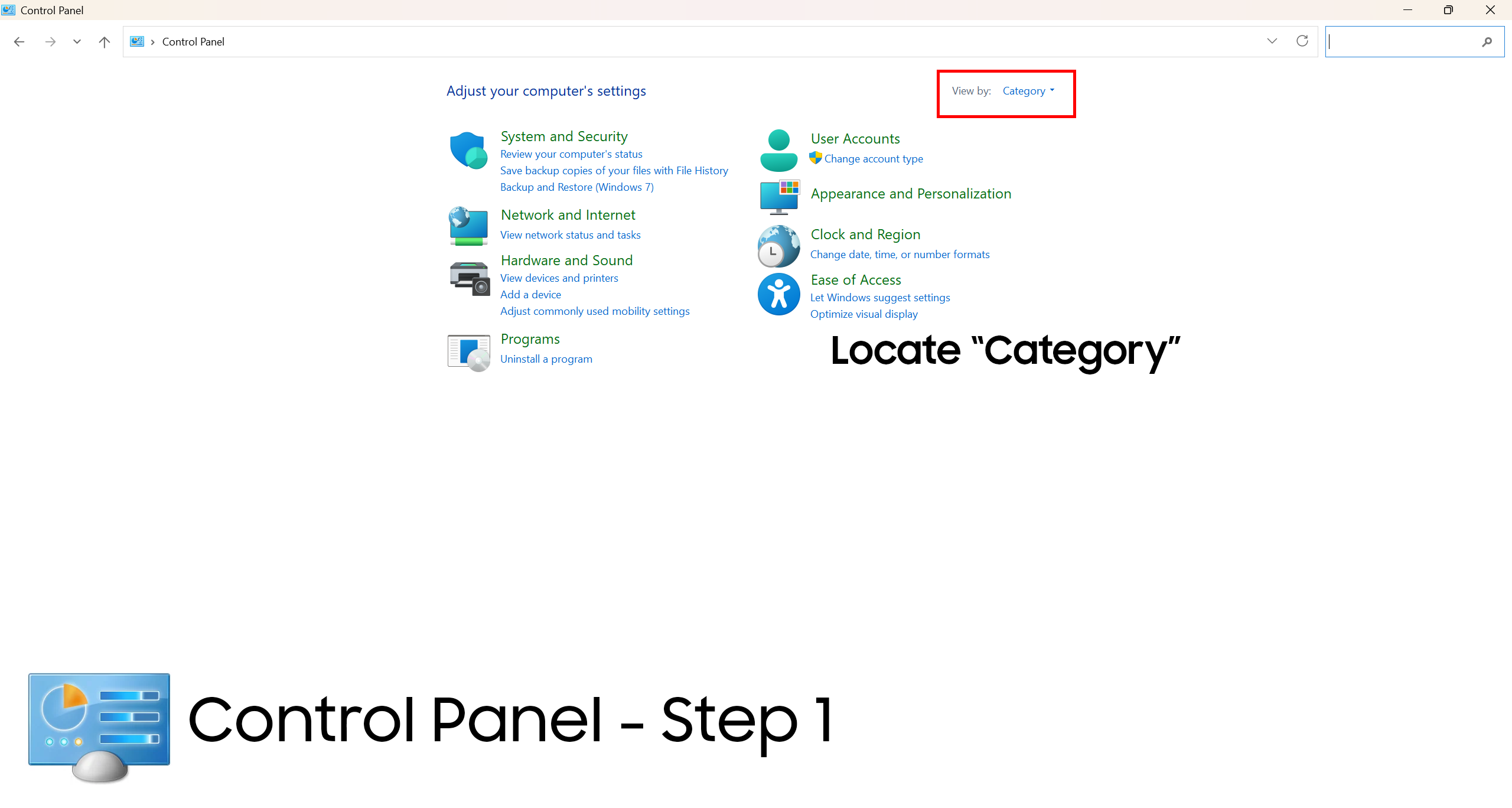
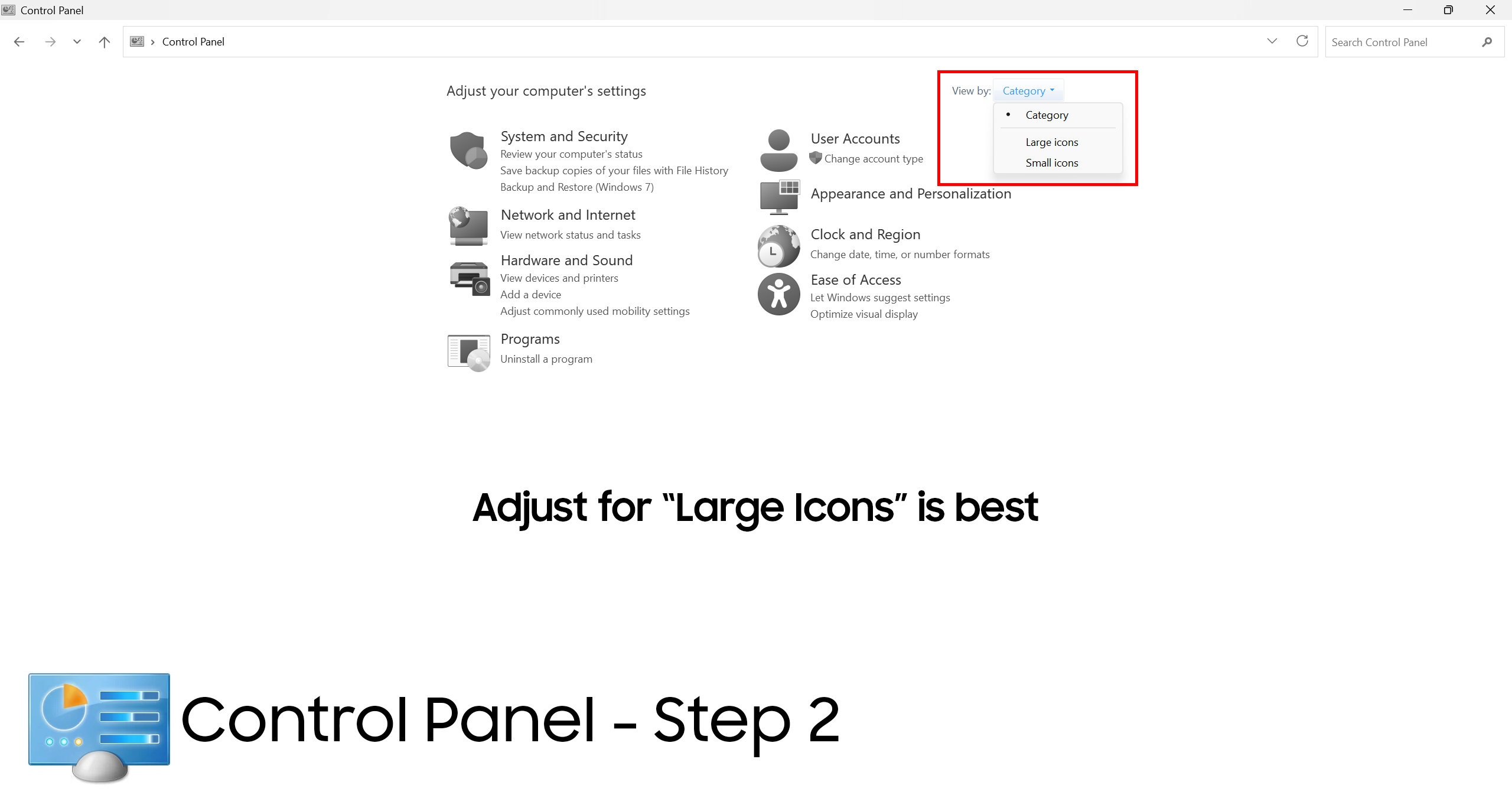
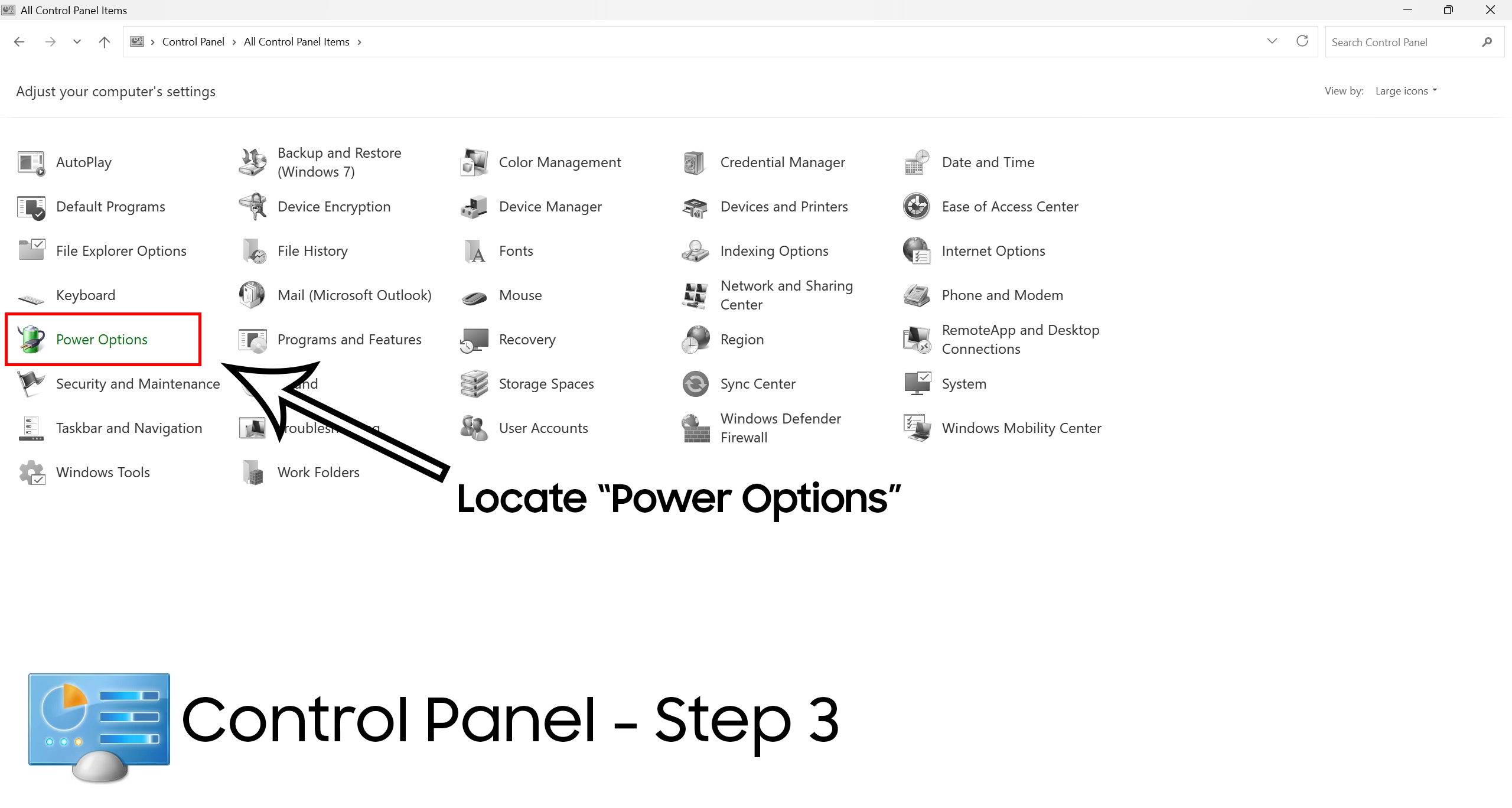
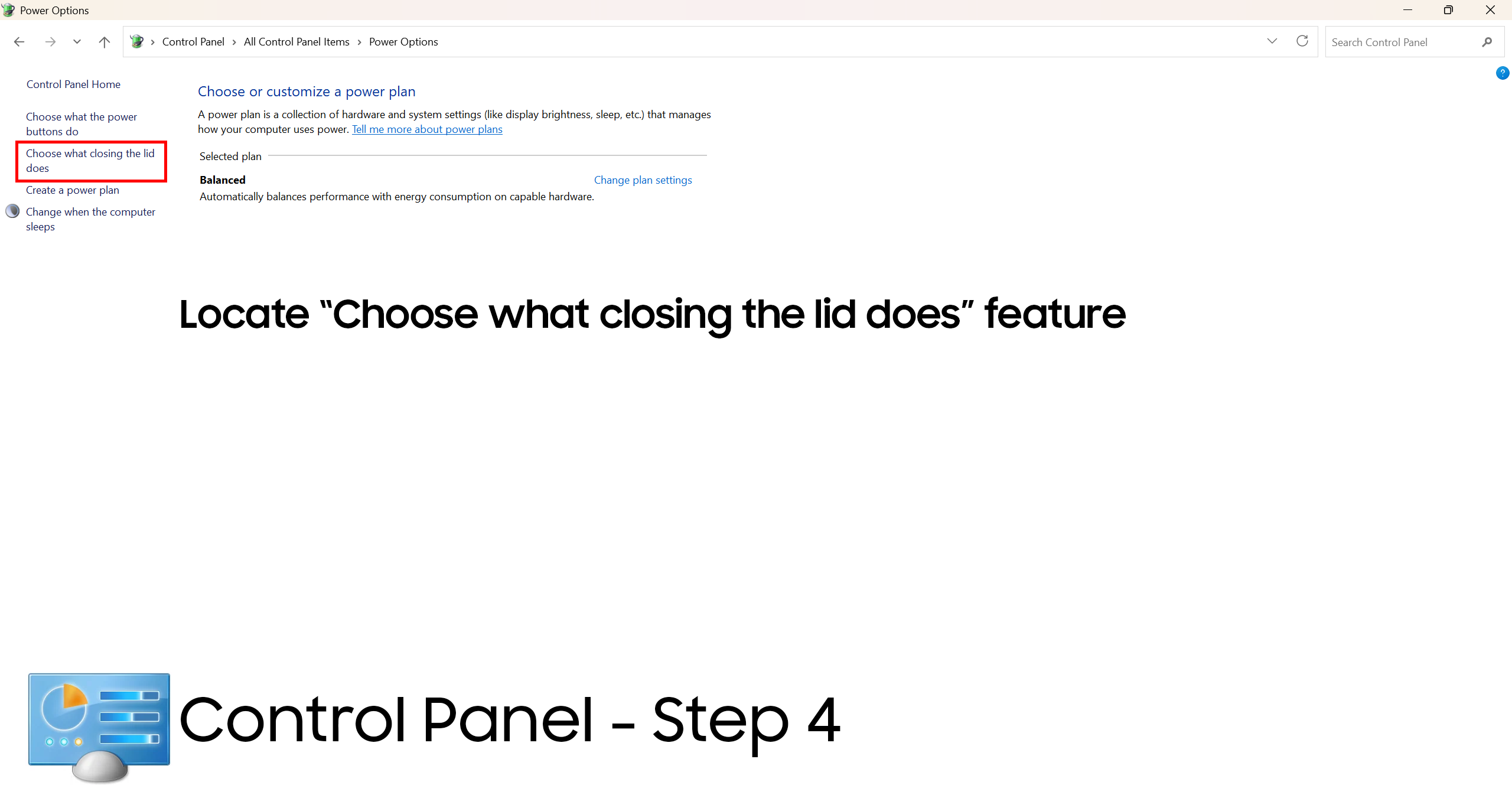
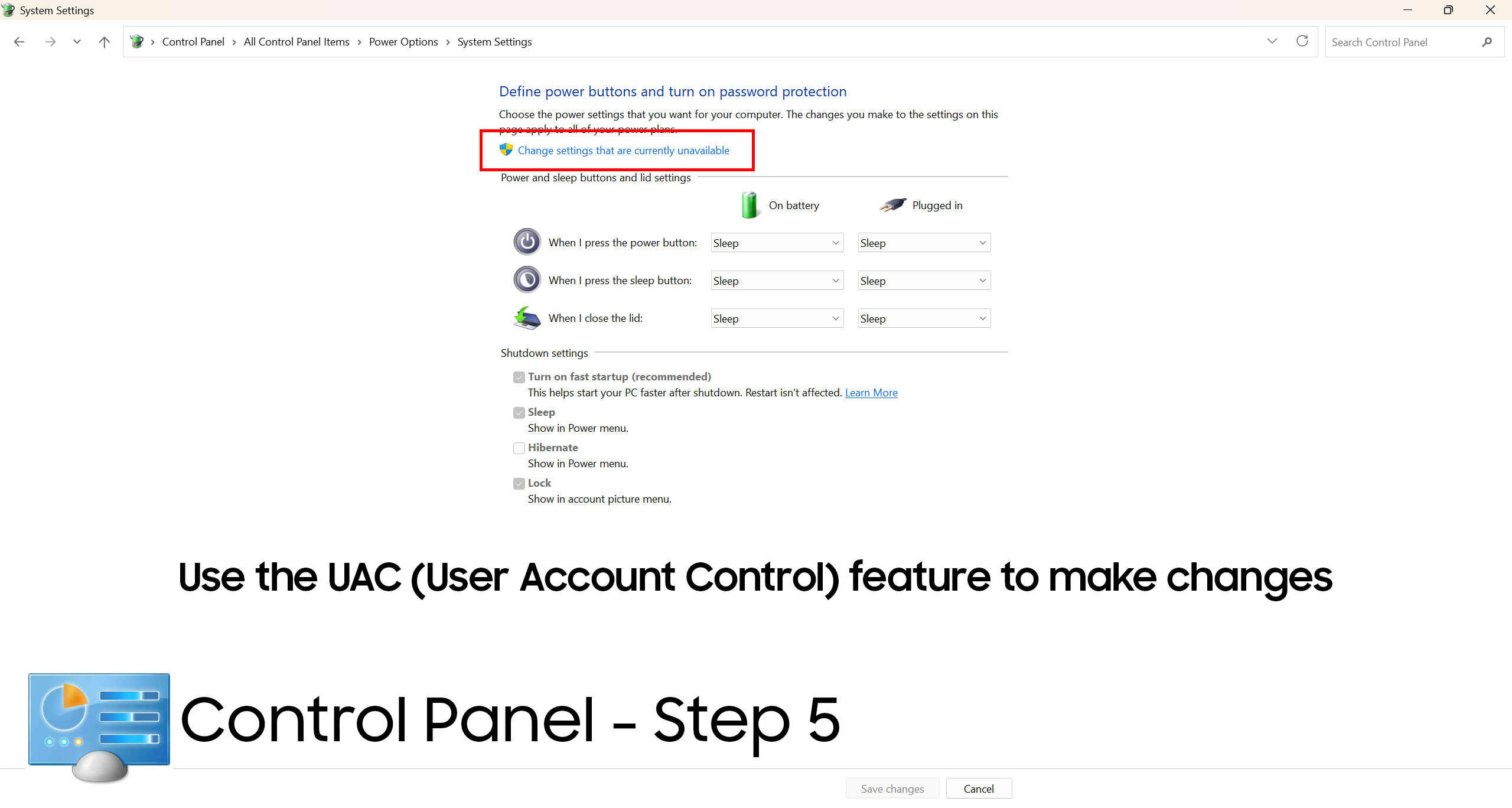
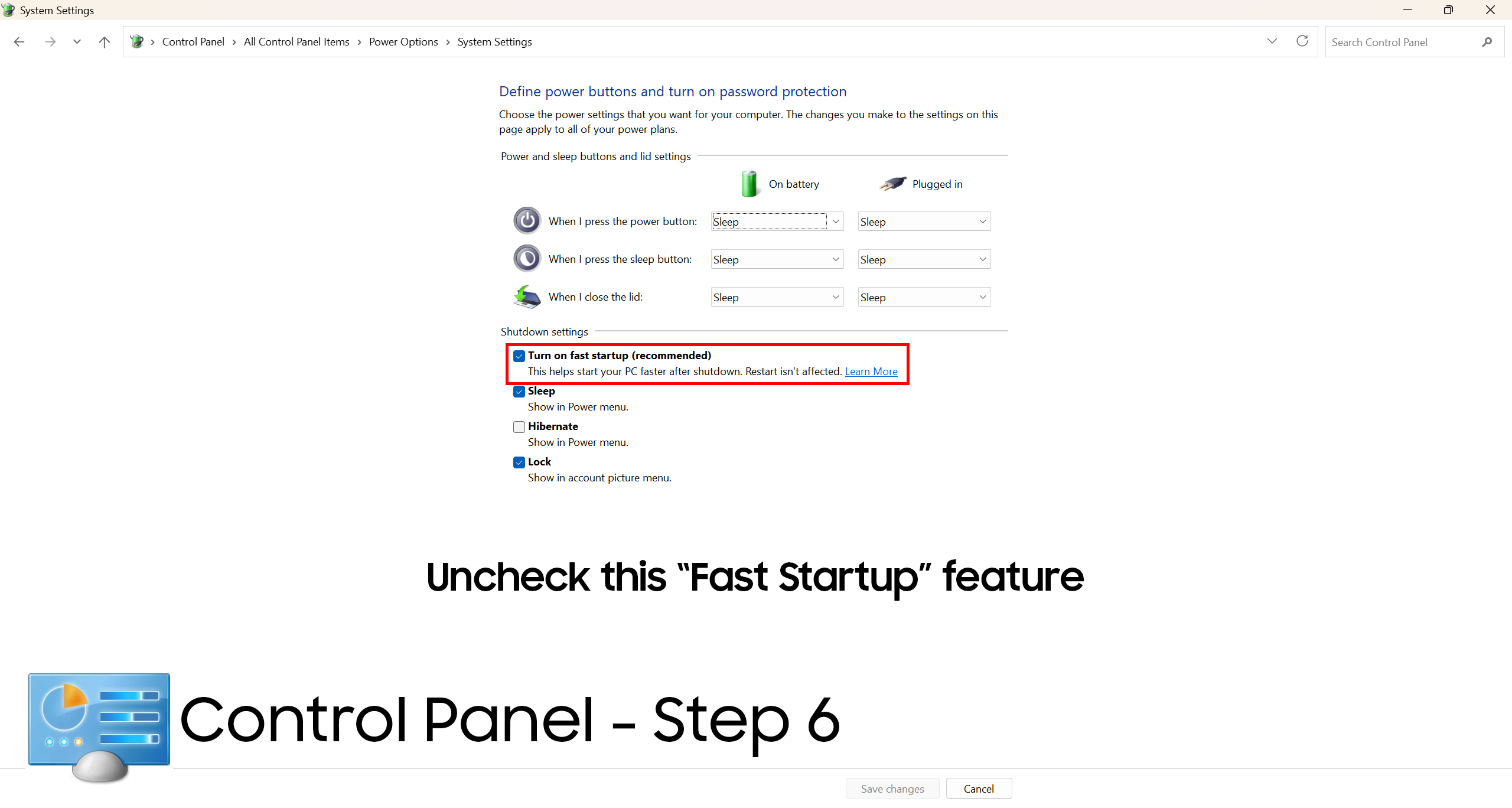
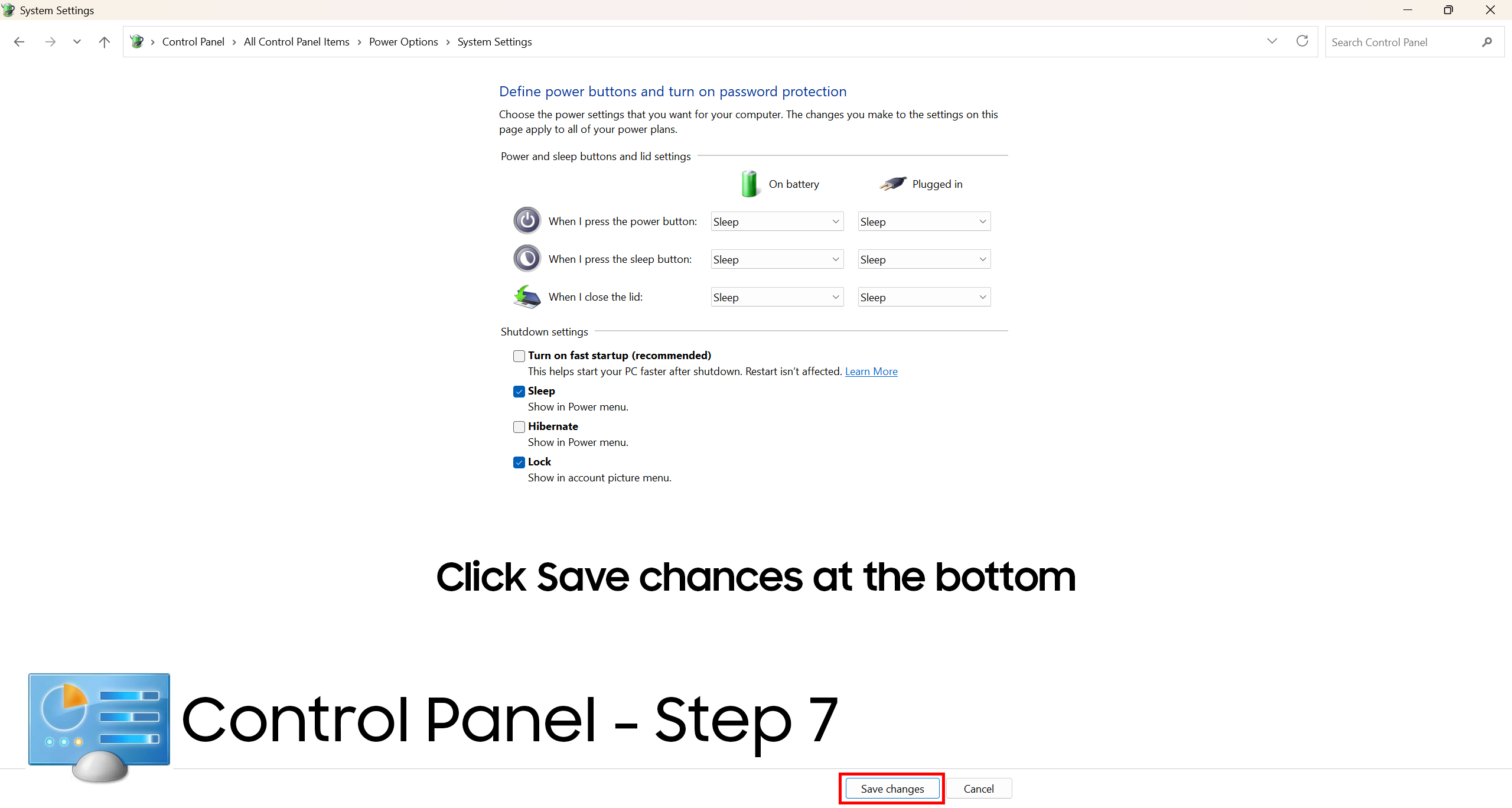
There’s no need for “fast startup” it causes more glitches than it solves for anyone. Simply go into the Control Panel that’s from the era of Windows 7. We have made photos to follow in order. To teach you to turn it off.
Some form-factor devices especially Desktop, All-in-one (AIO), Mini PC devices that don’t have a built-in battery may not have the fast startup or show different limited power options.
Other Platforms
Unix Based/ Linux/ Mac OS systems are designed from the ground up so that there able to be on for such a long period of time they can run without there being any issues caused from using it for a long period of down time. The internet is running on and hosted on Unix/ Linux so there required to run for 10 years+ without needing a restart, its even been setup so that OS updates are able to be handled without needing to restart the system which is quite cool and something that Microsoft Windows hasn’t been able to achieve at all.